Schema Registry Management
Browse, search, and manage schemas across all subjects from one interface. Full visibility into compatibility settings, versions, and schema evolution.
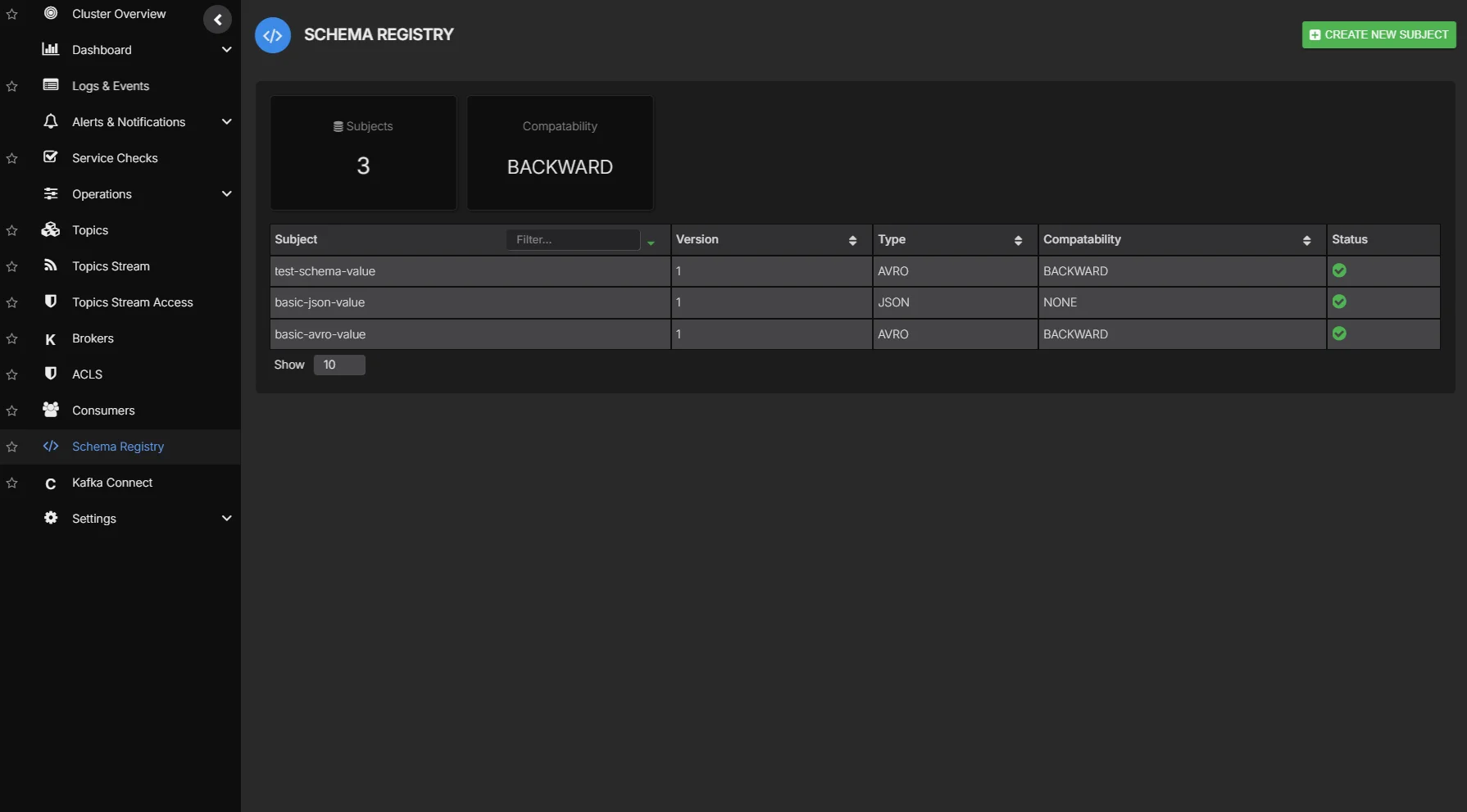

Schema governance without the guesswork
Schema evolution is critical to maintaining data compatibility across producers and consumers. Without clear visibility into schema versions, compatibility settings, and subject relationships, breaking changes slip through and cause downstream failures. AxonOps provides a single interface for browsing, editing, and managing schemas across your entire registry.
Browse and search across all subjects with version history, compatibility levels, and schema content in one view.
Manage compatibility settings per subject to prevent breaking changes from reaching production consumers.
Schema management alongside topic management and monitoring in the same platform. No tool switching.
Schema Registry capabilities
Full schema lifecycle management from one platform.
| Capability | What you get | Detail |
|---|---|---|
| Schema browser | ||
| Browse and search | Browse and search schemas across all subjects | Filter by subject name or schema type |
| Version history | View all versions of a schema with diff comparison | Track schema evolution over time |
| Multi-format support | Avro, Protobuf, and JSON Schema formats | View schema content in any format |
| Schema editor | ||
| Schema editing | Edit schemas with syntax highlighting and validation | Catch errors before registration |
| Schema registration | Register new schemas and versions through the UI | Compatibility validation before registration |
| Compatibility & governance | ||
| Compatibility settings | View and manage compatibility levels per subject | BACKWARD, FORWARD, FULL, and NONE |
| Compatibility validation | Validate new schema versions against compatibility rules before registering | Prevent breaking changes in production |
| Multi-cluster support | Manage schema registries across multiple Kafka environments | One interface for all registries |
| Governance | ||
| Role-based access | Assign edit or read-only rights per user, with access scoped to specific clusters | Prevent unauthorized changes |
| SSO authentication | Optional Enterprise SAML integration for single sign-on | Centralized identity management |
| Audit history | Full log of schema registrations, compatibility changes, and deletions | Who changed what and when |
| Automation | ||
| Terraform provider | Automate schema registration, compatibility settings, and subject configurations as code | Codify your schema governance |
Schema Browser
Browse all registered subjects, view schema content, and track version history from one interface. Search across subjects, compare versions side by side, and understand how schemas have evolved over time.
- Browse and search schemas across all subjects
- Version history with diff comparison between versions
- Support for Avro, Protobuf, and JSON Schema formats
Schema Editor
Edit schemas with syntax highlighting and validate compatibility before registering new versions. Catch errors and breaking changes before they reach production consumers.
- Syntax-highlighted schema editing
- Compatibility validation before registration
- Compatibility level management per subject
- Register new schemas and versions directly from the UI
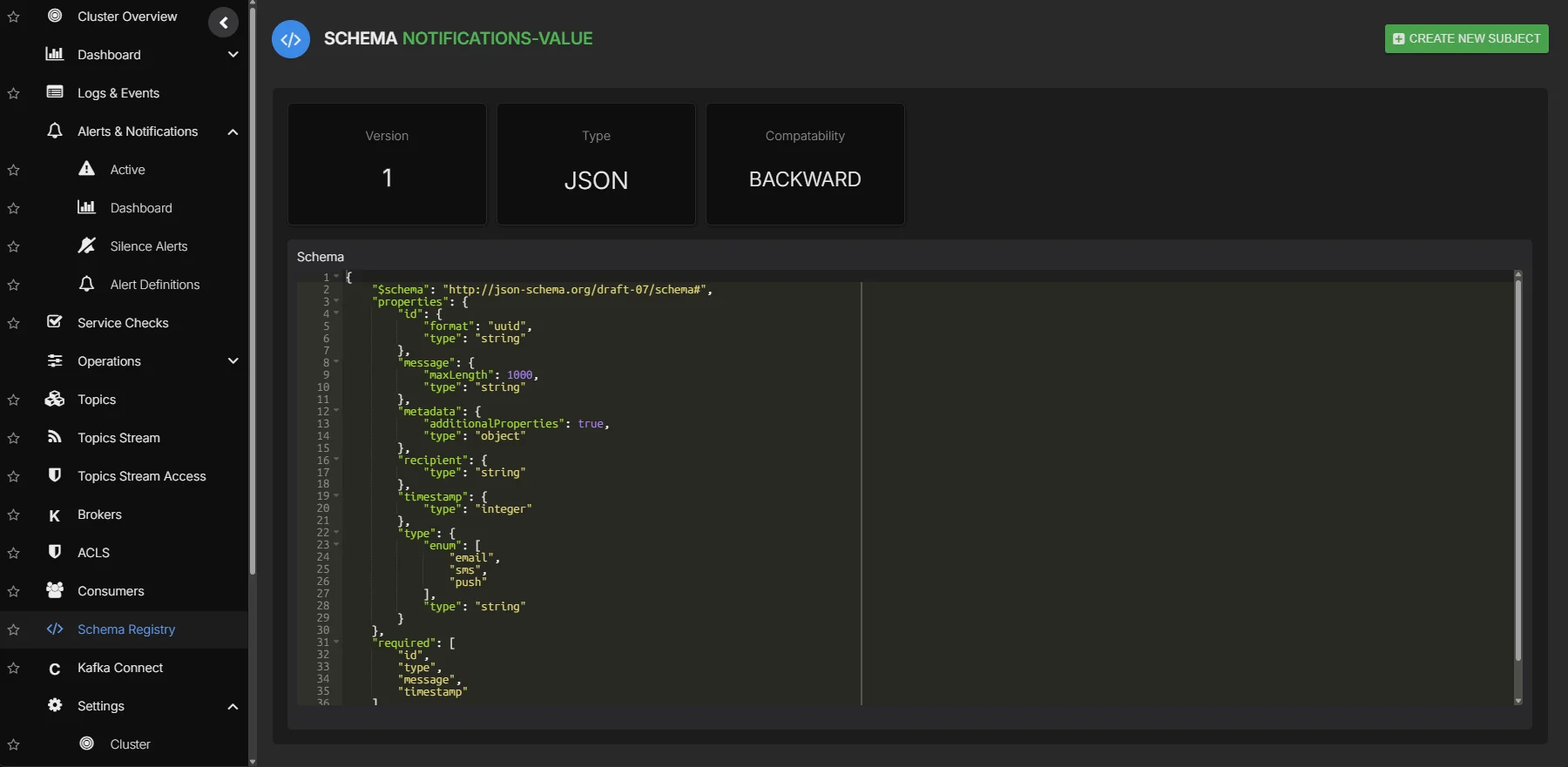
See Schema Registry management in action